
COSMOS Deep Field
What is Rubin Observatory’s Skyviewer?
What if you could explore the Universe the way you explore a map? Skyviewer lets you roam around Rubin Observatory’s view of the southern sky, zooming in on galaxies, stars, and other cosmic happenings. It’s an interactive way to see the Universe through Rubin’s eyes, and explore something new wherever your curiosity takes you, just like astronomers do.
Zoom in to get a closer look at galaxies and stars, see the paths of asteroids in the Cosmic Treasure Chest image, or just scroll around and take in the wonder of the cosmos.
Not sure where to start? Choose one of our short guided tours to get oriented and learn more about what you’re looking at!
The Cosmic Treasure Chest (Virgo Cluster)
Rubin's view of the cosmos, for your ears
You can experience Rubin’s images via sound with our sonification of Skyviewer, called Skysynth. This interactive sonification lets you drift across Rubin's view of the cosmos, translating the colors and brightness of distant galaxies and stars into an immersive, never-ending soundscape.
Just as no two people will explore Rubin’s images the same way, no two listening experiences will be the same.
You won’t see the entire southern sky in Skyviewer now, because some regions haven’t been observed enough yet, but Skyviewer navigation makes it easy to jump between the areas of sky that are displayed. As Rubin continues its 10-year survey, new regions and new details will become visible.
Skyviewer is designed to make Rubin’s enormous survey of the sky approachable, visual, and fun, whether you have a few minutes to explore or want to stay awhile.
Tips for exploring with Skyviewer
Zooming
It’s hard to appreciate both how big and how detailed Rubin’s images are just with one glance. Try zooming in to see more details, or zoom out to experience the full size of the images!
Keep an eye on the blue bar at the bottom, which tells you how much of the sky you’re seeing in the current view compared to one Rubin footprint. Remember that Rubin’s field of view can fit 45 full moons!
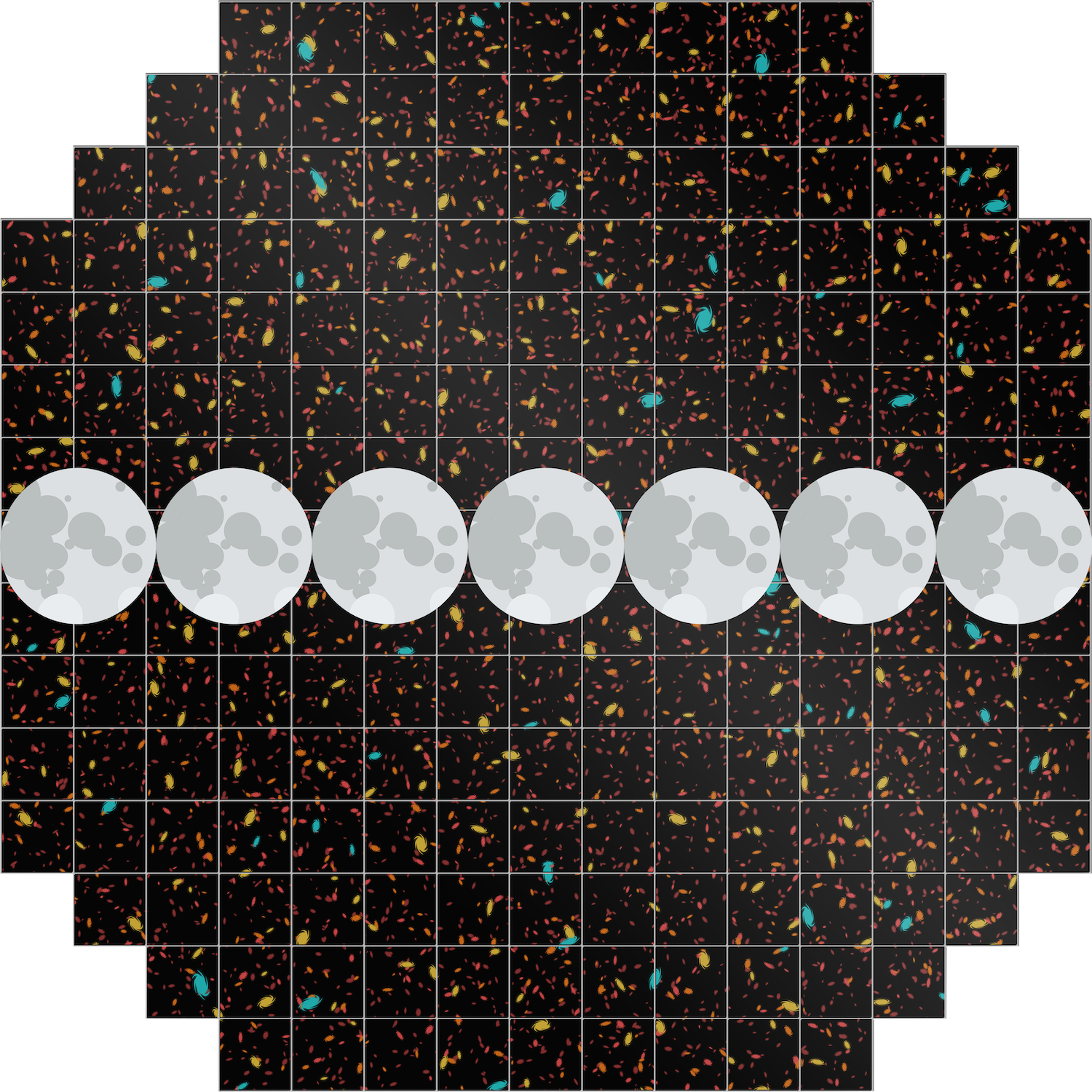
Navigation
Noticing a lot of empty space? Rubin’s survey is just getting started! Use the navigation button on the right side to hop between images we’ve released so far, and check back for more as the survey progresses.
Sharing
Find an area you really like? With the share button in the bottom left corner, you can save the image in your current view, send it to a friend, or store the link so you can come back and admire it in the future.
Types of images you'll see
The images shown in Skyviewer are made from stacking many (hundreds or thousands!) of individual exposures, taken using different filters. Because these images are built up over time, they show what the sky “usually” looks like, and objects that move (like asteroids) or change (like supernovae) are not easily visible.
- Rubin’s First Look image “the Cosmic Treasure Chest” is an exception, as this amazing image was compiled from a week’s worth of observations. Using special processing, we produced a version of this image that shows thousands of moving asteroids in our Solar System. Use the toggle in the Display menu to explore this one-of-a-kind view.
Getting sky coordinates
See something you want to view in another sky map or observing app? You can get the sky location (right ascension and declination) by right clicking on the object (or tap and hold on mobile), then grabbing the coordinates from the popup box.